How do I Install the Standard Metrics Add-in for Excel?
Last updated: September 26, 2026
Users can install our Add-in From the Microsoft App Store:
Navigate to Insert in the main Excel Ribbon
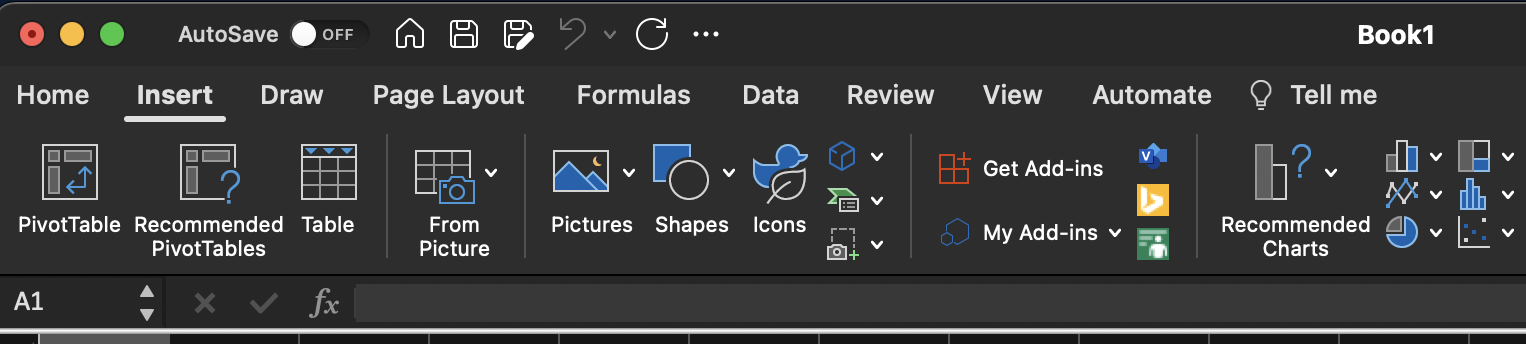
Click the get add-ins button
Search for Standard Metrics Add-in for Excel
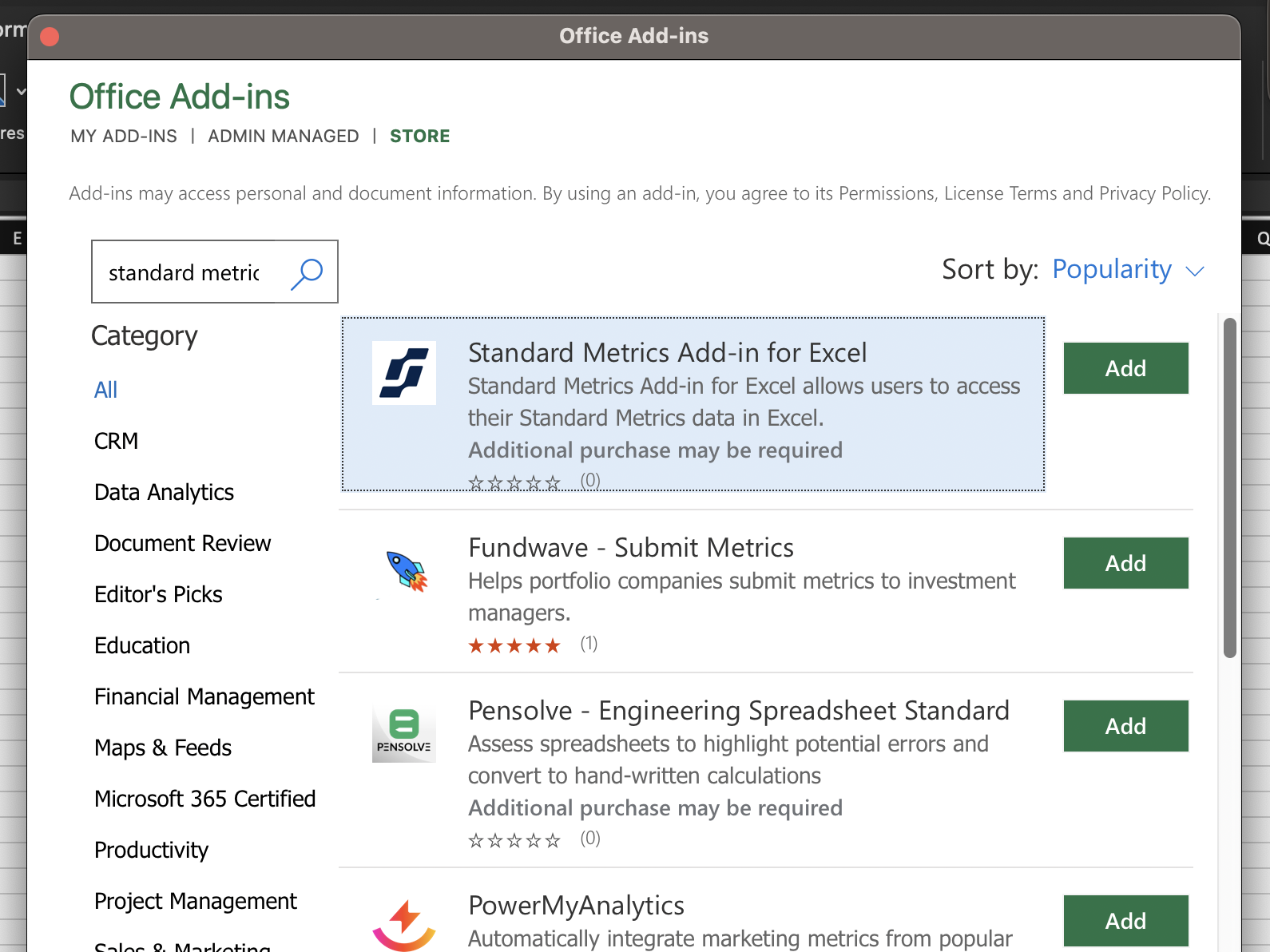
Click Add next to the Standard Metrics Add-in for Excel
Success!